
MAPS.ME: Offline maps GPS Nav
Maps_MeTravel & Local
4.113.68K Reviews
- Version
- v18.0.72060-googleRelease
- Installs
- 50.00M
- Age Rating
- Everyone
Screenshots

Our Review of MAPS.ME: Offline maps GPS Nav
 Analysis by Appyee
If you're anything like me, getting lost is a regular part of any travel adventure. But thanks to MAPS.ME: Offline maps GPS Nav, those days are becoming a distant memory. This app has been my go-to travel buddy, and I’m excited to share my experience with you.
Why offline maps matter when plans change
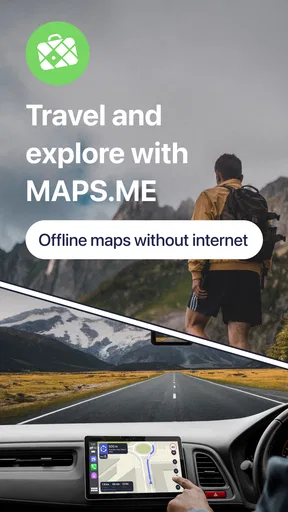
The defining idea behind MAPS.ME is that a useful map should still be available when your phone has no data connection. I find that especially valuable while travelling: mobile coverage can disappear on a train, in a rural area, or down a narrow city street, just when I need to check where I am. With a map saved before leaving, I can still look around and orient myself instead of treating a weak signal as a navigation emergency.
That offline-first approach is not only for international trips. It can help on a day out when I want to keep mobile data use down, or when I know the route will pass through areas with unreliable reception. The practical benefit is less about following a perfect line every second and more about having a dependable reference when ordinary online maps become inconvenient.
The app is free to download, with optional in-app purchases ranging from under a dollar to just under thirty-three dollars per item. It is made by Maps_Me and sits in the travel and local category. Its average rating is 4.1 from around 1.3 million ratings, and it has been installed over 50 million times. Those figures suggest broad use, but I would still judge it by whether offline navigation suits the way you travel.
Preparing a map before you go
The important habit is to prepare while you still have a reliable connection. I would download the country or region I expect to visit before setting off, then open the map and check that the places I care about are visible. This small check is more useful than assuming a map will be ready after I have already lost service. It also gives me a chance to think through the route, rather than trying to solve every detail while walking with luggage or standing at a busy junction.
For a city break, I would save the accommodation, a station, and a few likely destinations as bookmarks. That creates a simple offline reference without making me search from scratch each time. For a longer trip, I would keep the saved places purposeful: a large collection can become harder to scan when I am in a hurry. Bookmarks work best as a short list of anchors, not as a substitute for deciding what the day is about.
Offline maps also change how I plan. I can inspect nearby streets before leaving a café or hotel, notice which direction a destination lies in, and make a rough route choice even if I cannot load current online information. I would still check the downloaded area before a long drive or walk. The map can help me stay oriented, but preparation matters: a saved map is only useful if it covers the place I am actually going.
Why MAPS.ME Stands Out
Let’s face it, there are tons of navigation apps out there. However, MAPS.ME has a few unique features that make it a standout option. First off, the ability to use it offline is a game-changer, especially when you’re traveling abroad and want to avoid those pesky roaming charges.
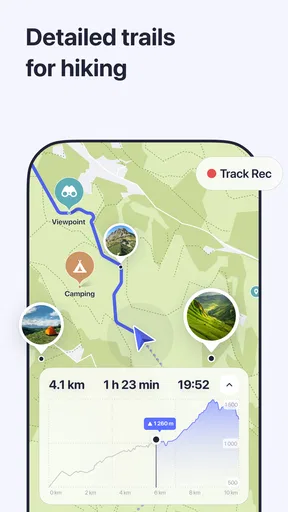
The app allows you to download maps for entire countries or specific regions in advance. Once downloaded, you have full access to detailed maps, including streets, hiking trails, and even cafes and restaurants. It’s super helpful when you’re exploring a new city or hiking in the wilderness.
Choosing it over a usual navigation app
When I compare MAPS.ME with the online maps many people already use, the key distinction is its value as a preloaded reference. If I need to search a place without preparing, see live changes to traffic, or rely on information that updates as conditions shift, an online-first alternative is a better fit. MAPS.ME makes more sense when I expect to be offline and can plan ahead. I would not treat it as a universal replacement for every map app on my phone.
There is a useful middle ground: I can use an online service to research current details before a trip, then keep MAPS.ME ready for basic orientation when coverage drops. That avoids asking one app to do every job. On a walking holiday, for example, an offline map can help me understand the surrounding streets and trails, while an online source may be more convenient for checking changing opening hours or other current details.
User Experience and Interface
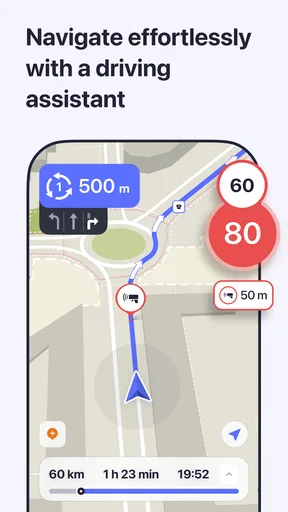
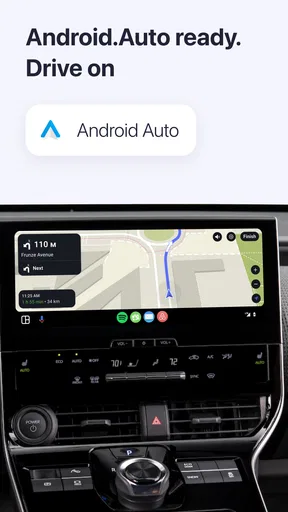
MAPS.ME has a simple and intuitive interface, making it easy to use even for those who aren’t tech-savvy. The search function is quite efficient, allowing you to find your destination with just a few taps. The app also offers turn-by-turn navigation, which is pretty smooth and reliable.
One of my favorite features is the ability to bookmark your favorite spots. Whether it's that cozy coffee shop or a must-see landmark, you can save these places and access them later with ease. It’s like having a personal travel diary right in your pocket.
A realistic day with the app
Picture arriving in an unfamiliar city, checking into a place near the station, then heading out to meet a friend across town. I would save the accommodation and meeting spot before I leave Wi-Fi, then use the offline map to check the route and keep track of nearby streets along the way. If we decide to stop for coffee or take a different turn, the map remains useful as a visual guide rather than leaving me staring at a blank loading screen.
That kind of day also shows where I would stay cautious. A route suggestion can be a helpful starting point, but I would look at the surrounding streets and use judgment rather than follow directions blindly, especially if I am on foot in an unfamiliar area. When a trip depends on exact, changing road conditions, I would keep an online navigation option available whenever possible.
Performance and Reliability
I’ve used MAPS.ME in various countries, and it’s consistently reliable. The app updates regularly, ensuring you always have the most accurate information. Plus, the maps are based on OpenStreetMap data, which is known for its accuracy and detail.
Even when offline, the app’s GPS function works flawlessly, guiding you to your destination without a hitch. It’s incredibly reassuring to know that you won’t get lost, even in the most remote locations.
There is a distinction worth keeping in mind: the phone can locate itself using GPS without mobile data, but the map still needs to be downloaded in advance. That is why I treat preparation as part of using the app, not an optional extra. Before a remote drive or a hike, I would make sure the relevant area is on the device and check that the route makes sense while I still have a connection.
Where offline guidance has limits
Offline navigation is most reassuring when I already know the broad plan. It is less suited to a last-minute change that depends on fresh information, such as reacting to a closure or choosing a route around current congestion. In those moments, a connected navigation service can be more useful because it can respond to changing conditions. I see MAPS.ME as a strong backup and planning companion, not a promise that every direction will suit every situation.
Map detail can also vary from place to place. Streets and trails may be represented on the map, but that does not make every path equally easy to follow on the ground. For a hike, I would check the route beforehand, carry whatever practical supplies the outing calls for, and avoid treating a phone map as my only preparation. In a city, I would pay attention to signs and local access rather than assuming a mapped street is always the best way through.
The current version is v17.8.71982-googleRelease, and the app is suitable for everyone, with a minimum Android requirement of version 6.0. It first appeared on July 31, 2012, and its long history makes it a familiar option for travellers who want offline mapping. I would still check that the version available for my device meets its requirements before relying on it for a trip.
Additional Features Worth Mentioning
Aside from its primary functions, MAPS.ME includes some nifty extras. For instance, it provides walking and biking routes, which are perfect for those who prefer exploring on foot or by bike. The app also offers travel guides, helping you discover top attractions and hidden gems in your destination.
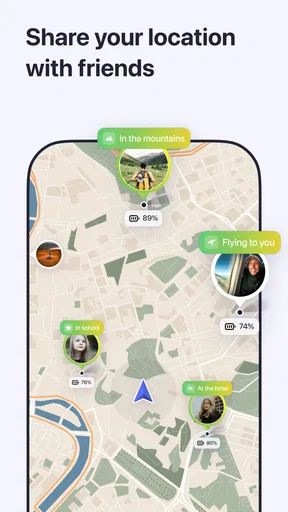
Another cool feature is the ability to share your location with friends. This can be a lifesaver when you’re trying to meet up in a crowded area or simply want to let someone know where you are.
For someone travelling with a loose itinerary, those extras can make the offline map feel more like a planning tool than a simple route screen. I would use walking directions to compare possible ways through a neighbourhood, then bookmark a place I might want to return to. The useful trade-off is that this works best when I prepare a little in advance; it is not the same as having a local person confirm that a path is open or that a venue is still operating.
Who gets the most from it
I would recommend MAPS.ME first to travellers who expect patchy reception, people who want a map available without depending on mobile data, and walkers who like to see streets and trails together. It is also handy for anyone who wants to save a few key places before exploring somewhere new. For a short trip abroad, downloading the map at home and bookmarking the hotel, transport stop, and meeting point is a simple workflow that can prevent avoidable confusion.
I would be less likely to recommend it as someone’s only navigation app if they mainly drive in places with changing traffic, want current route adjustments, or dislike planning downloads before leaving. In those cases, an online-first alternative may be more convenient. The same goes for users who expect every point of interest to be perfectly current: I would verify important details through a current source rather than rely on a map alone.
Final Thoughts
In a world filled with navigation apps, MAPS.ME: Offline maps GPS Nav truly shines for its offline capabilities, user-friendly interface, and reliable performance. Whether you're a frequent traveler or just need a reliable map app for everyday use, this app has got you covered.
So, if you’re tired of getting lost or just want a dependable travel companion, I highly recommend giving MAPS.ME a try. Download it, explore the world, and never worry about losing your way again!
Privacy and Permissions
See what permissions an app requests and how it handles your data.
- Contacts
- read your contacts
- Location
- approximate location (network-based), precise location (GPS and network-based)
- Photos/Media/Files
- read the contents of your USB storage, modify or delete the contents of your USB storage
- Storage
- read the contents of your USB storage, modify or delete the contents of your USB storage
- Camera
- take pictures and videos
- Wi-Fi connection information
- view Wi-Fi connections
- Other
- view network connections, read battery statistics, connect and disconnect from Wi-Fi, full network access, run at startup, control vibration, prevent device from sleeping
Verdict
Strengths of MAPS.ME: Offline maps GPS Nav
- Detailed offline maps available worldwide.
- Quick loading and smooth interface.
- Turn-by-turn navigation included.
- No internet connection required.
- Regular updates with new features.
Limitations of MAPS.ME: Offline maps GPS Nav
- Limited real-time traffic updates.
- Some maps lack detailed information.
- Occasional GPS signal loss.
- Ads can be intrusive at times.
- Offline search can be slow.
Similar Picks in This Category
View All
Google Maps
Google LLC3.4

Google Maps Go
Google LLC4.1

Booking.com: Hotels & Travel
Booking.com Hotels & Vacation Rentals4.8

Google Earth
Google LLC3.8

Skyscanner Flights Hotels Cars
Skyscanner Ltd4.8

trivago: Compare hotel prices
trivago N.V.4.4
Frequently Asked Questions
What is MAPS.ME and what features does it offer?
MAPS.ME is a versatile navigation app that provides offline maps and GPS navigation. It allows users to download maps for offline use, making it ideal for travelers without reliable internet access. Features include turn-by-turn navigation, point of interest search, and bookmarking favorite locations. The app is designed to be user-friendly and efficient, offering a seamless experience for both drivers and pedestrians.
How does MAPS.ME's offline functionality work?
MAPS.ME allows users to download detailed maps for offline use. Once downloaded, these maps can be accessed without an internet connection, making it a reliable option for areas with poor connectivity. The app updates these maps regularly to ensure accuracy. Users can enjoy navigation, search functions, and route planning without needing a data connection.
Is MAPS.ME free to use, and are there any in-app purchases?
Yes, MAPS.ME is free to download and use. However, it does offer in-app purchases for additional features like ad removal and traffic data integration. While the basic functionality, including offline maps and navigation, is available for free, these optional purchases can enhance the user experience by providing more detailed and real-time information.
How accurate and up-to-date are the maps provided by MAPS.ME?
MAPS.ME uses data from OpenStreetMap (OSM), a collaborative project that is frequently updated by a community of contributors worldwide. This ensures that the maps are relatively accurate and current. Users can also contribute to map updates, adding another layer of reliability. Regular updates help maintain the accuracy of roads, locations, and points of interest.
Can MAPS.ME be used for driving as well as walking navigation?
Yes, MAPS.ME supports both driving and walking navigation. The app provides turn-by-turn directions suited for drivers, cyclists, and pedestrians. It offers different route options, including the fastest and shortest routes, and provides estimated travel times. This makes it a versatile tool for various modes of transportation, ensuring users can navigate efficiently no matter how they travel.
